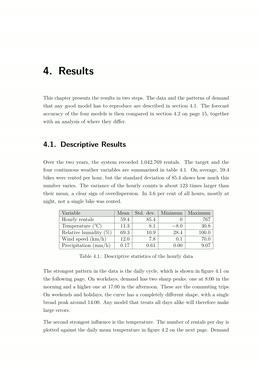
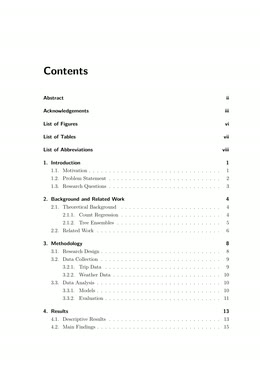
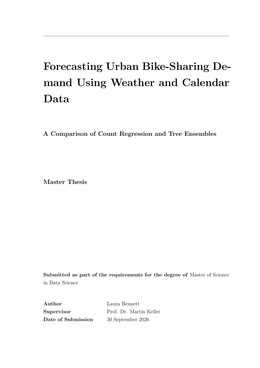
Your finished PDF
Title page, contents, numbered chapters and tables. Typeset like a published paper.
Keep notes, sources and chapters together in one folder. Your AI sees all of it and writes with you, right there. Obsitex turns the folder into a professionally typeset PDF: numbered chapters, figures, citations, table of contents. You write in Obsidian, a free notes app.
Your ideas, your words. Your AI helps.
✓ Free to get started · No credit card required
Get a thesis template Free A ready-made folder for Obsidian: chapters, title page, bibliography. No account, ready in a minute.Conversion runs in your browser. An account is only needed for the full version. Sign in with Microsoft or Google: we receive your name and email, never access to your files. OneDrive is optional and asks Microsoft separately. · Learn more about permissions

A short overview of Obsitex, and a step-by-step tutorial for your first PDF.
Obsitex turns any Obsidian vault into a professional PDF. With the Obsitex skills for your AI tool (Claude Code, Codex or OpenCode), your thesis already has its shape before you write the first word: chapters, sections, bibliography, layout. An AI companion then stays at your side while you write, so every page lands in your document exactly as you pictured it.
Install the Obsitex skills for Claude Code. No git is needed. Download https://github.com/gregyelapa/obsitex-skills/archive/refs/heads/main.zip, unpack it, and copy the folders skills/obsitex-init and skills/obsitex-assistant into ~/.claude/skills/, replacing older copies. If claude plugin list shows an Obsitex plugin, remove it first with claude plugin uninstall obsitex@obsitex and claude plugin marketplace remove obsitex. If no download tool works, tell me how to do it by hand. At the end, show the contents of ~/.claude/skills/obsitex-init/VERSION. Then tell me to restart Claude Code before I use the skills.
/obsitex-init in the folder where your project should live.
Install the Obsitex skills. No git is needed. Download https://github.com/gregyelapa/obsitex-skills/archive/refs/heads/main.zip, unpack it, and copy the folders skills/obsitex-init and skills/obsitex-assistant into ~/.agents/skills/, replacing older copies. If no download tool works, tell me how to do it by hand. At the end, show the contents of ~/.agents/skills/obsitex-init/VERSION. Then tell me to restart this tool before I use the skills.
$obsitex-init in the folder where your project should live.
Install the Obsitex skills. No git is needed. Download https://github.com/gregyelapa/obsitex-skills/archive/refs/heads/main.zip, unpack it, and copy the folders skills/obsitex-init and skills/obsitex-assistant into ~/.agents/skills/, replacing older copies. If no download tool works, tell me how to do it by hand. At the end, show the contents of ~/.agents/skills/obsitex-init/VERSION. Then tell me to restart this tool before I use the skills.
/obsitex-init in the folder where your project should live.
Your AI writes with you. It sees everything you have collected, and it writes into one folder only. That folder becomes your PDF.
The widest circle. Years of notes, if you keep one. Your AI may look things up here.
Everything that belongs to this one work: literature, data, interviews, your schedule. None of it reaches the PDF.
The narrowest circle, and the only one your AI writes into. This folder becomes your document.
From your first note to a finished professional document. No LaTeX knowledge required.
Stay in your familiar thinking space and let your AI write with you. The Obsitex skills give your work its shape before the first word, then helps you draft and refine chapter by chapter.
One click converts your Markdown content into clean, structured LaTeX code. Links, figures, tables and formatting are handled automatically.
Open directly in Overleaf, compile via GitHub Actions, or download the files to use a LaTeX compiler of your choice.
.obsidian, and with it
your plugins and the order your chapters run in. Obsitex takes that order from there,
and it reads the vault as one whole, so a link into another folder still resolves.attachments subfolder. So this one folder holds everything the PDF needs, and
you can copy it, archive it or hand it on as a whole.| Level | Prefix | Postfix |
|---|---|---|
| \part | ||
| \chapter | ||
| \section | ||
| \subsection | ||
| \subsubsection | ||
| \paragraph | ||
| \subparagraph |
folder/subfolder). Obsitex derives the vault from it. Enables Quick Convert, which skips the wizard and converts that folder directly. Type it here, or let it fill itself in: choosing a manuscript in Create Document writes it.